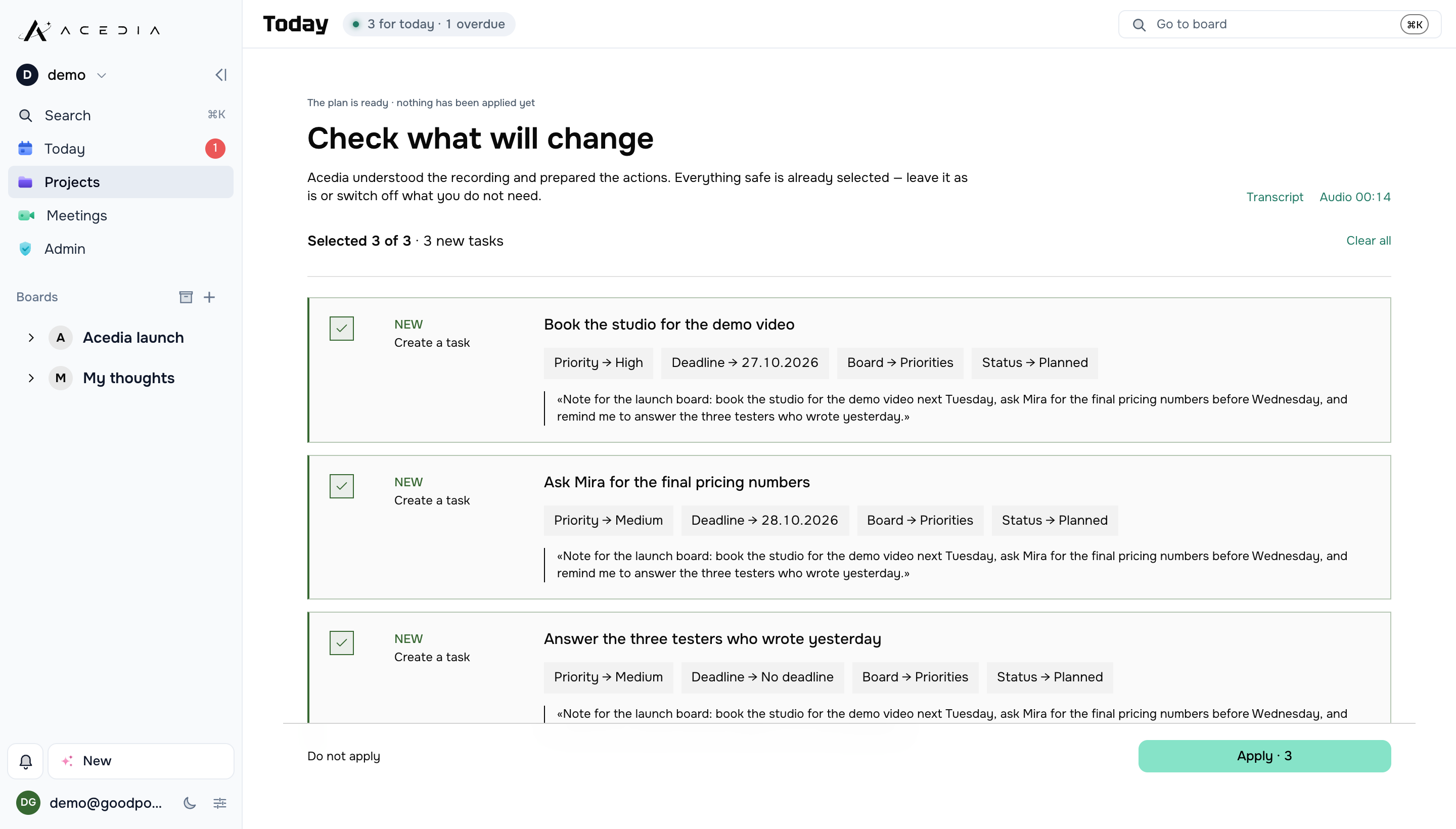
One recording becomes several independent cards. Duplicates are merged, and filler words never reach a card.
What we
have built.
Two products of our own, a game, and the shops, sites and products we built for clients. Everything here is software we wrote and still keep running – and where something is closed or unfinished, it says so.
Every screen below is a real screen of the product. Acedia shows a demo project and a meeting we held between ourselves, Hanc our own account, RunOrJog its live app on a phone, and every site is its live page as it stands today. No client data is shown anywhere. Our product · private beta
Acedia
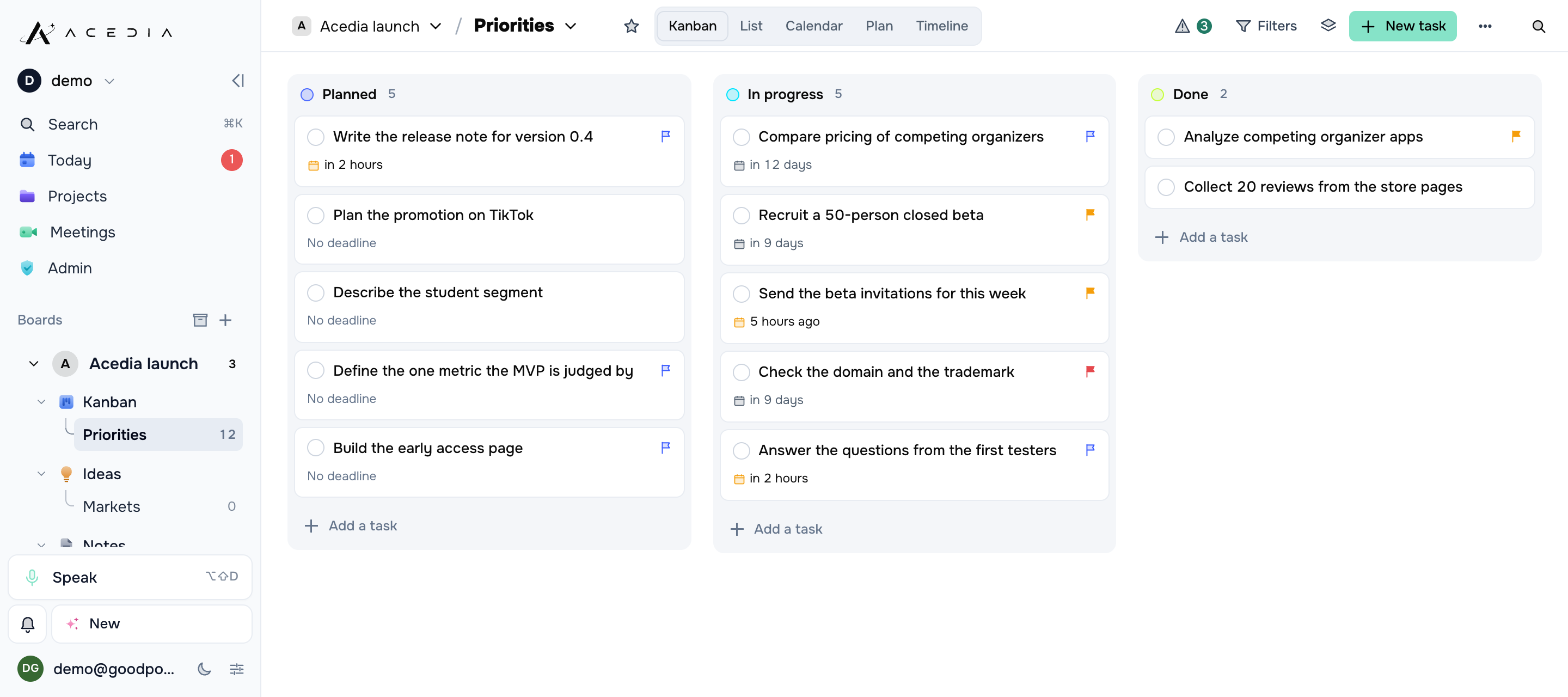
Speak your chaos, get order. Say it in your own words – Acedia splits the speech into separate thoughts and files them as cards: title, section, priority, deadline. It also sits in your Google Meet call, records it, writes out who said what, and turns what was agreed into tasks. You do not fill in a single field.
acedianote.comAccounts by invitation while the beta runs
What you said, what lands on the card
„by friday“FRI 31.07 · 09:00
„tomorrow at eight“31.07 · 08:00
„within three days“02.08 · 09:00
„sometime later“no deadline
„should get to this“no deadline
The rules we gave it
- A date keeps the phrase it came from, or the server refuses it.
- Doubt is flagged on the card instead of being smoothed over with nicer wording.
- Numbers, dates and names are never swapped for vague words.
- A failed transcription never deletes your audio, and re-processing never doubles the cards.
What Acedia can do
A new project opens with five sections. Rename them, add your own, move cards between them.
Four levels, and not everything gets “critical”. The level shows in the folded corner and in words, not in colour alone.
Three questions at most, and only when the cards would fall apart without the answer. It does not argue about your wording.
“By Friday”, “tomorrow at eight”, “within three days” – all understood. A date is never invented from the general gist.
Sections as tabs, statuses as columns. Drag and drop, filters, sorting, completed cards out of sight.
A day before, and again when it is due. No time named means 09:00 in your own zone. Push and in-app.
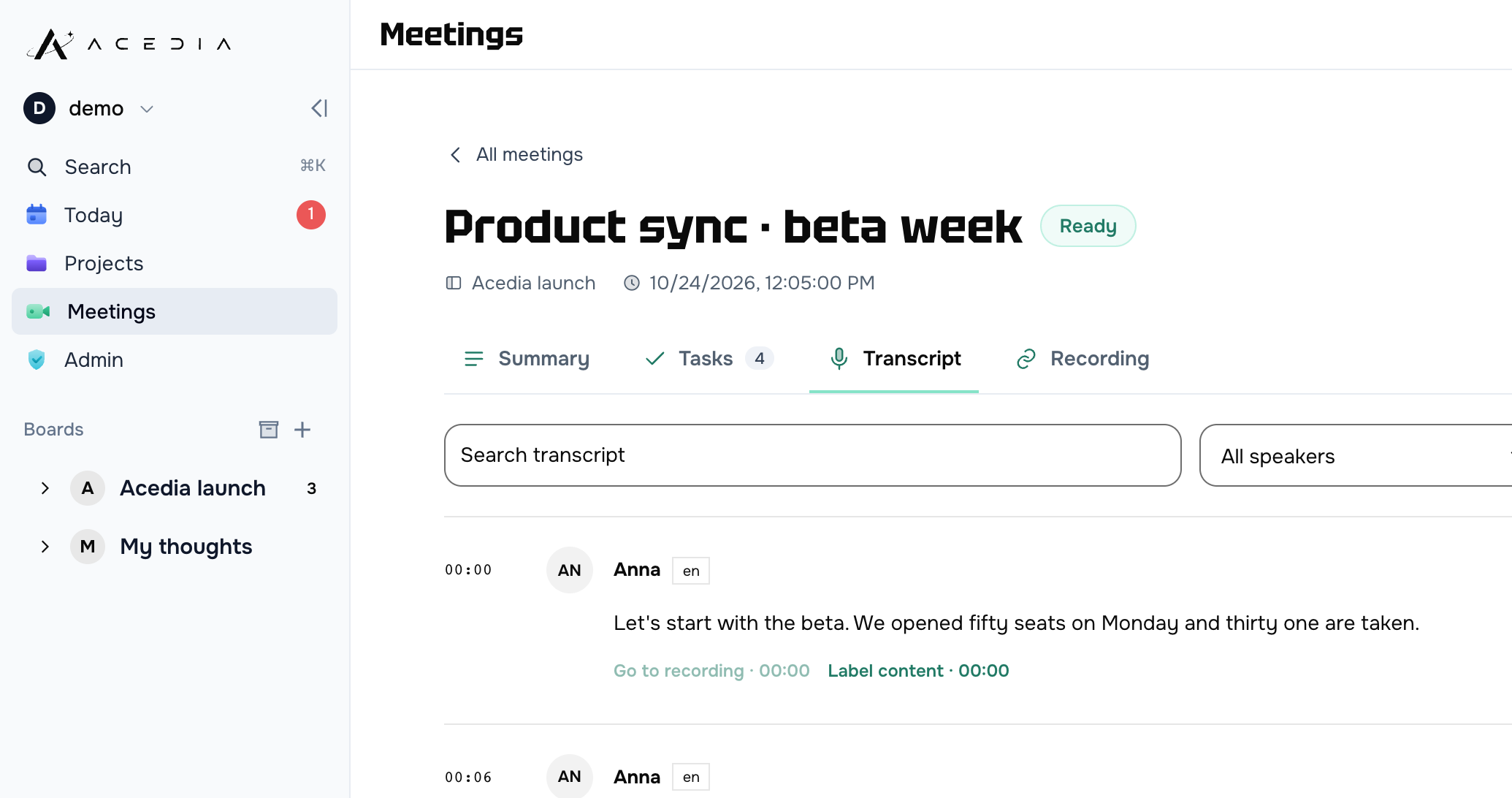
Every card keeps the recording it came from and the original transcript. Or drop both and keep the cards.
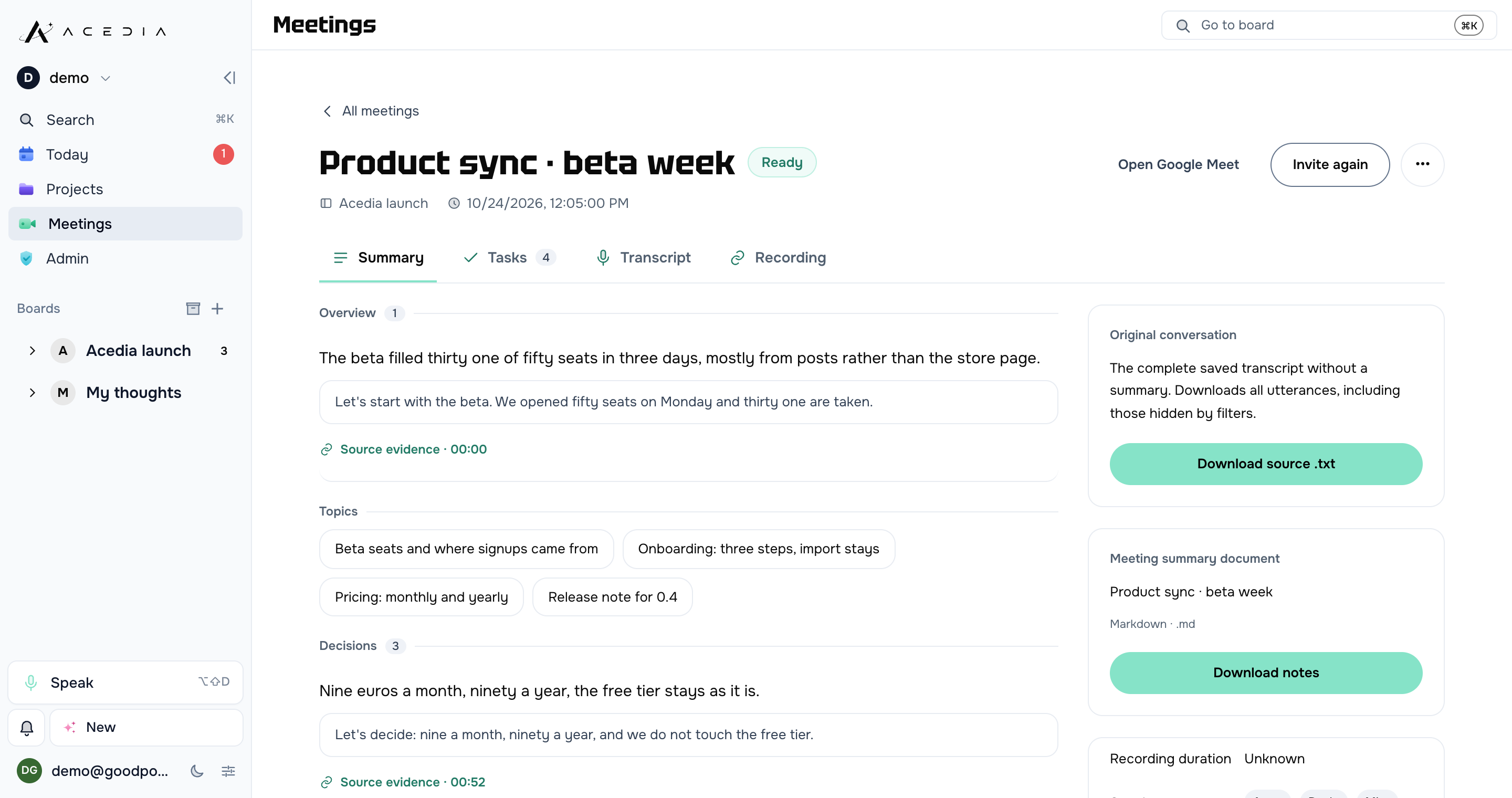
Paste the link: it comes in under its own name, records the call and writes the transcript with speakers and timestamps. Video, audio only or text – whatever that board allows.
After the call: the topics, the decisions, the open questions – every one quoting the sentence it came from. Tasks are only suggested; a person picks which ones become cards.
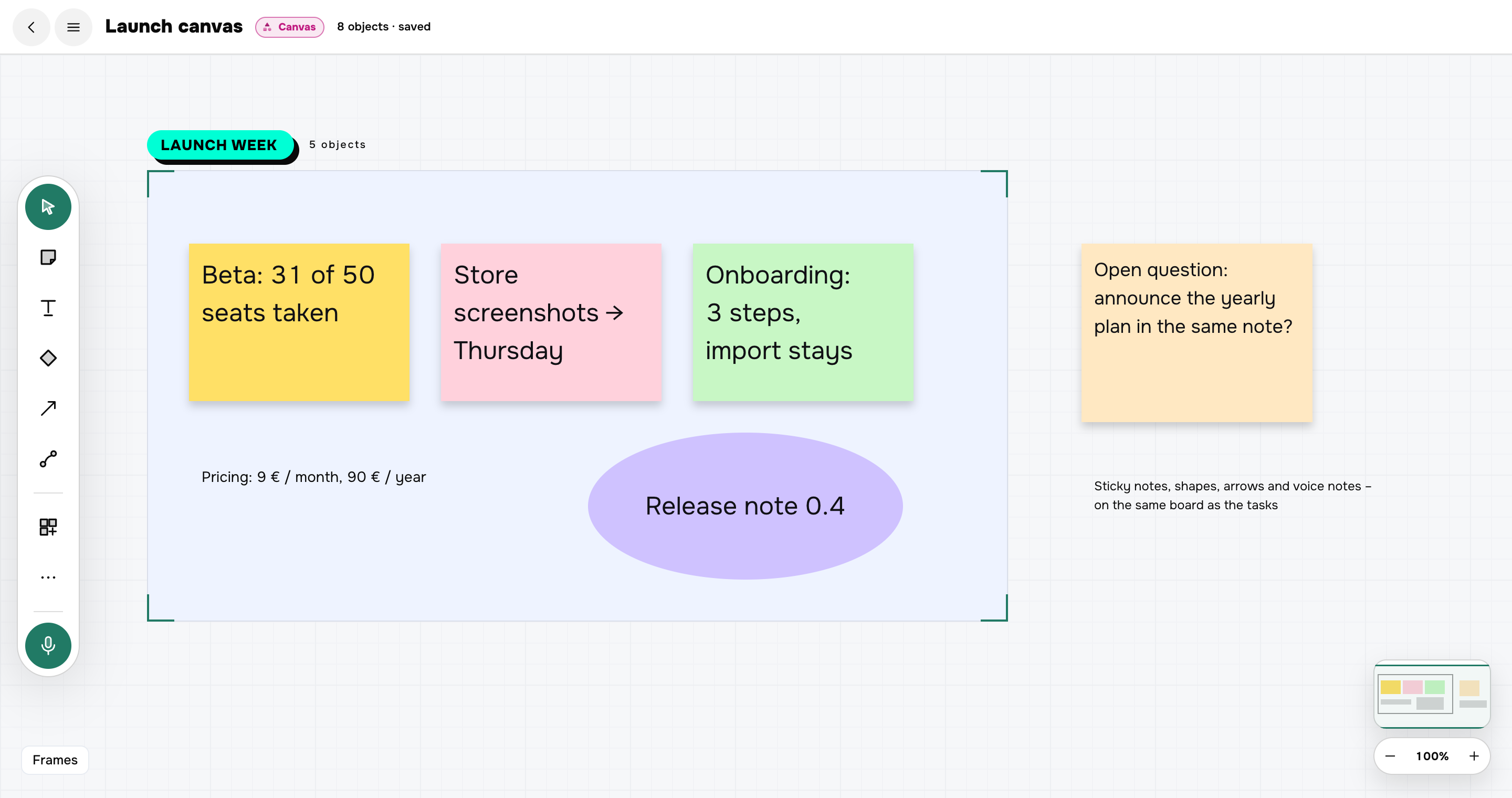
Sticky notes, text, shapes, arrows, frames and voice notes on one board, in the same project as the tasks. Everything saves as you move it.
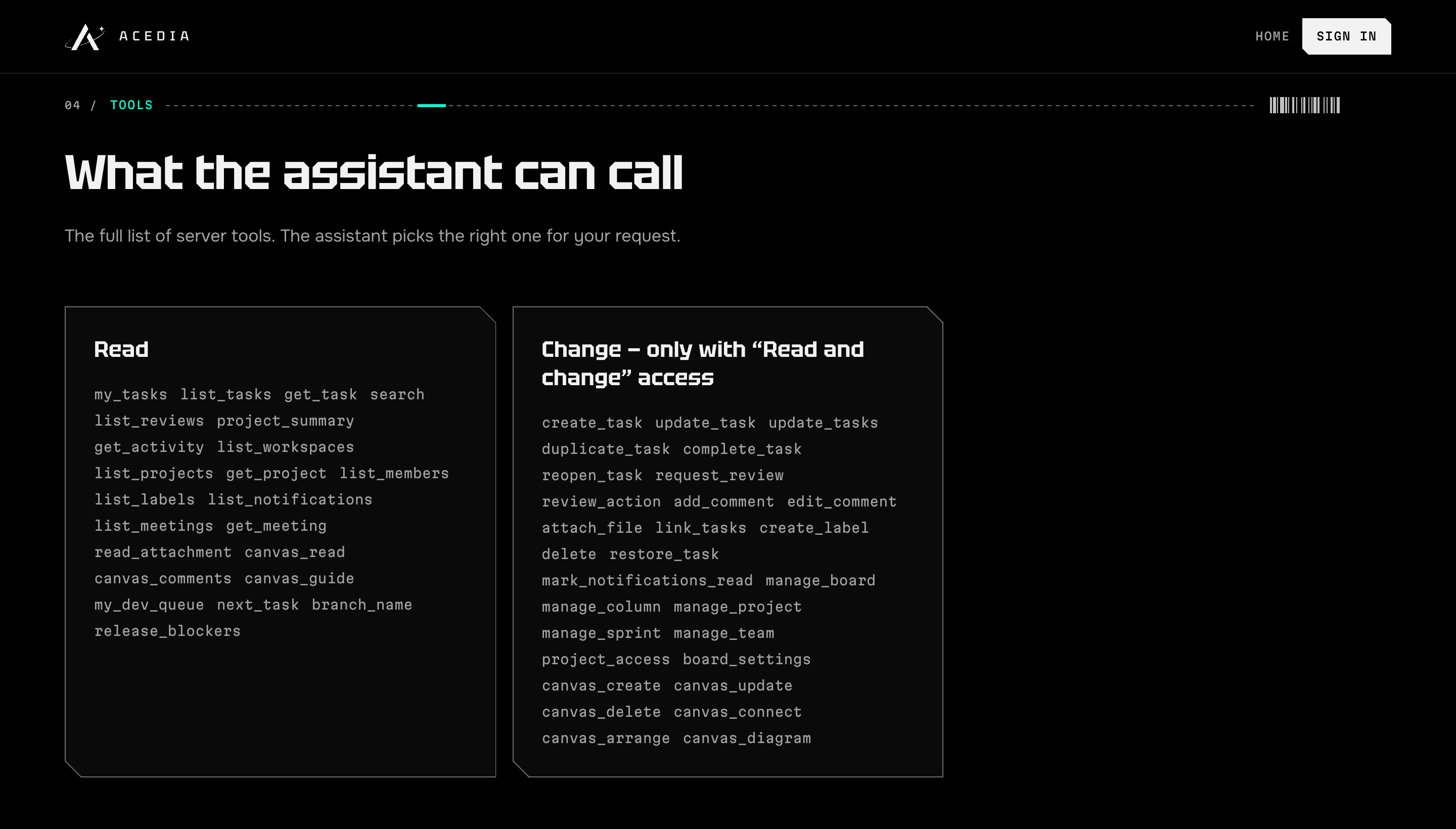
Connect Acedia as an MCP connector: the assistant sees what is due, creates and closes tasks, writes on the canvas – with read-only or full access, your choice.
It outgrew the organizer
- Boards, statuses and sprints for a whole team
- GitHub: issues and pull requests shown on the card
- Workspaces, groups and roles
- Search, saved views and rule-based automations
- A desktop app for Mac
- Runs in the browser, installs to the home screen, survives a lost connection
- Three interface languages: English, Ukrainian, Russian
 Our product · live
Hanc
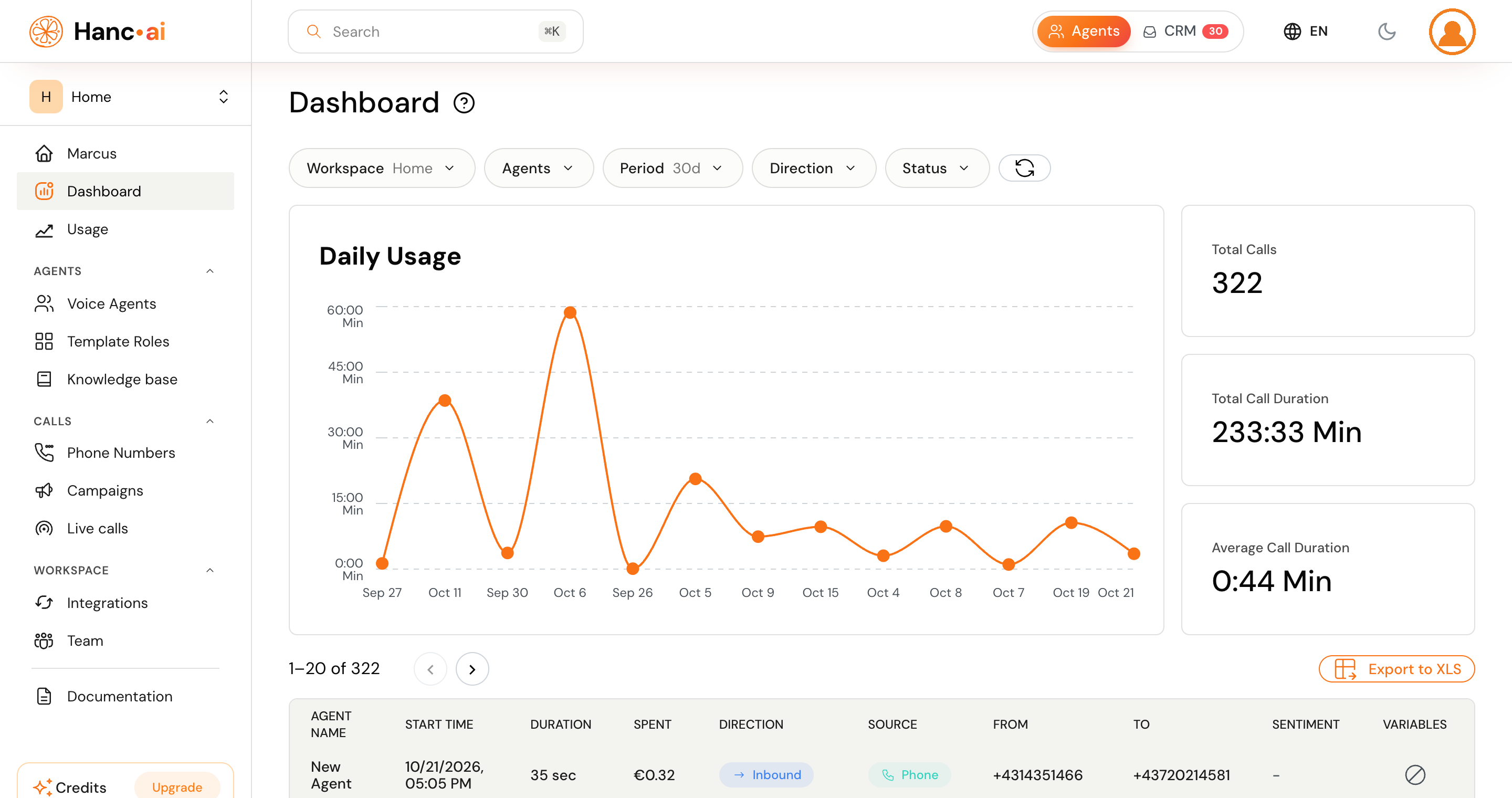
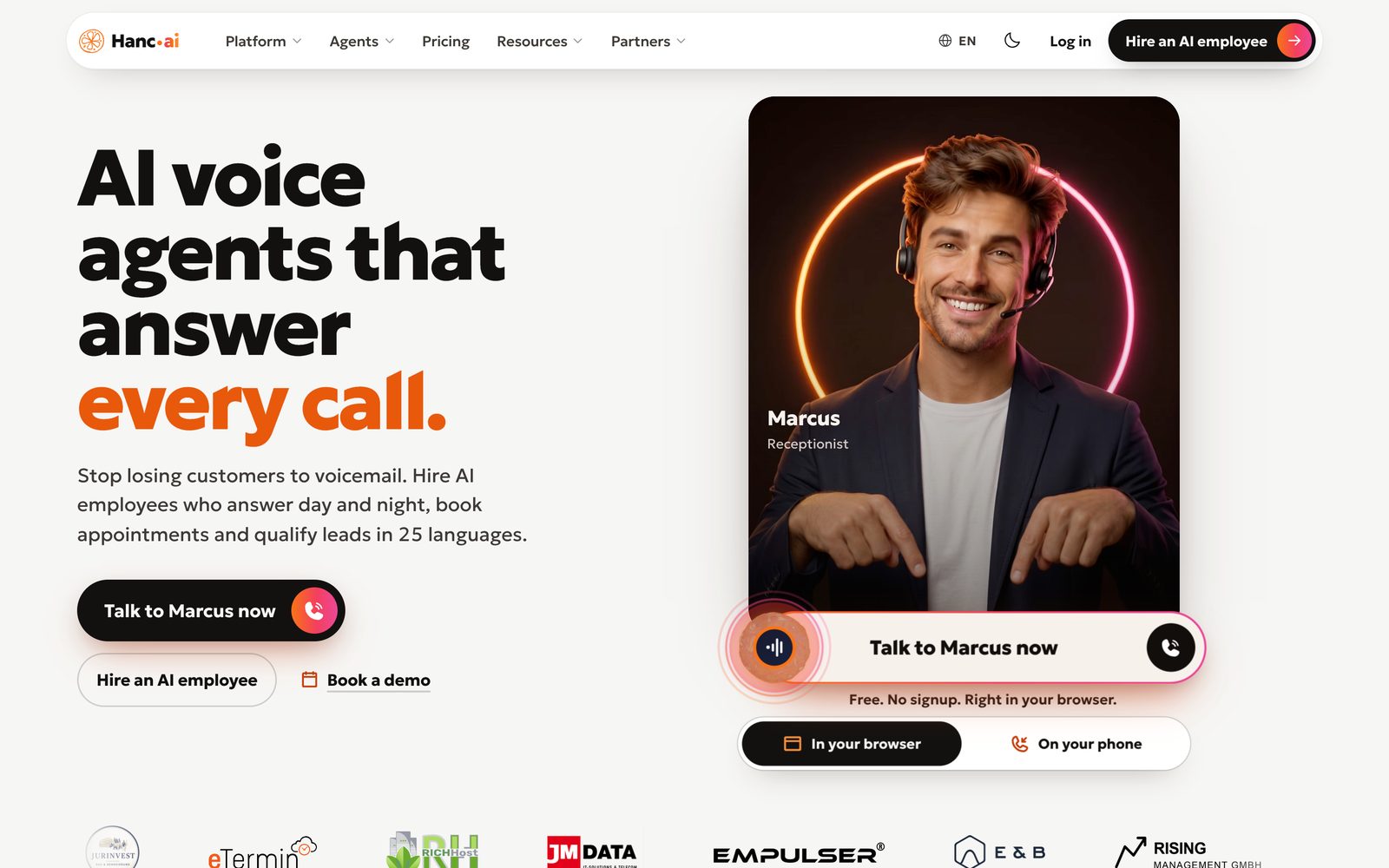
Our voice agent platform. It picks up the phone, speaks the caller’s language, books the appointment and writes the call back into the tools your team already uses. Every voice agent we build for a client runs on it.
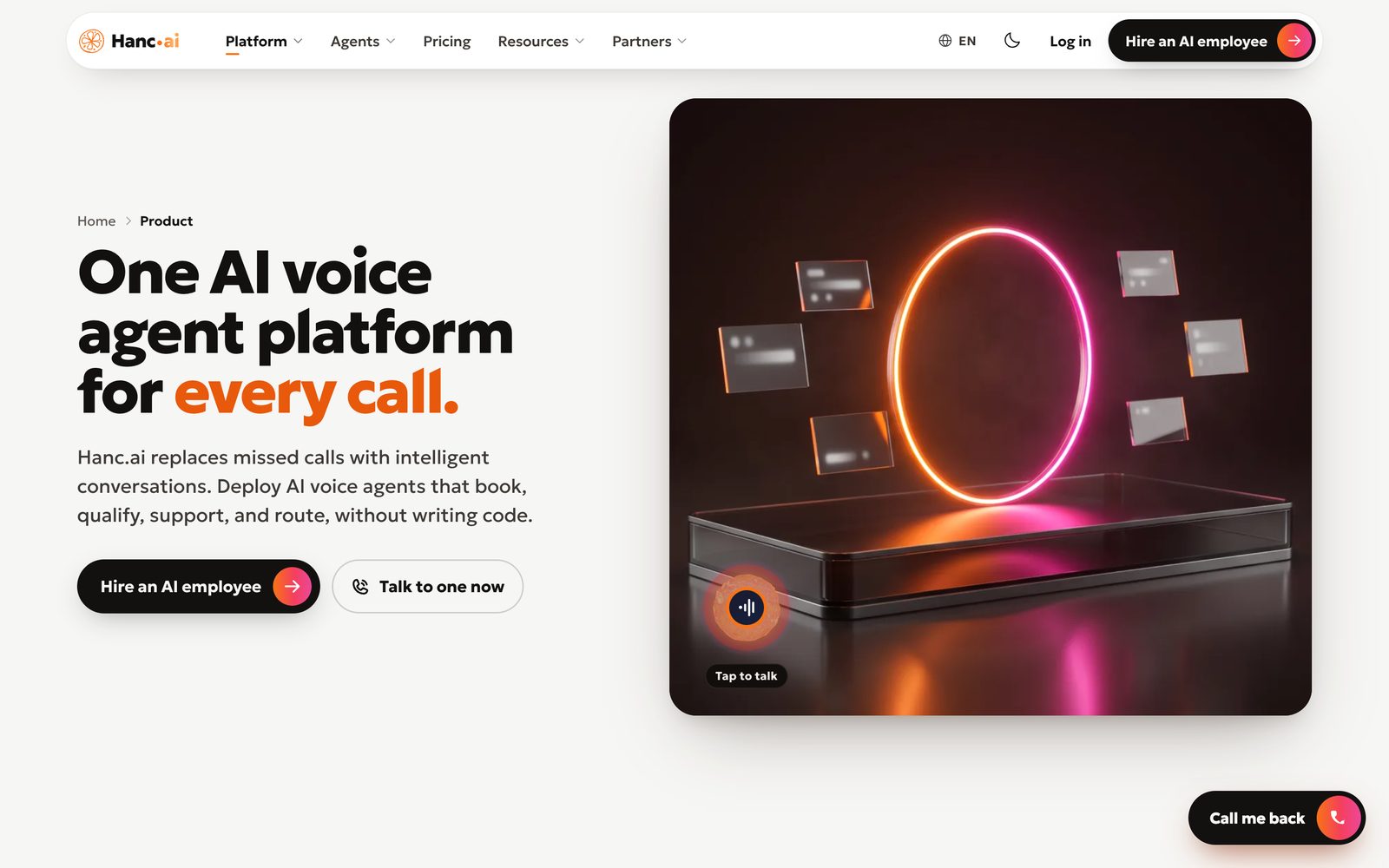
What comes with the platform
- Numbers in Austria and Germany, or your own line forwarded to us
- A scenario per agent: who it is, what it asks, when it hands over to a human
- A knowledge base built from your site and your documents
- Appointments written straight into the calendar, confirmation by email or SMS
- Your CRM, webhooks and the tools the team already uses
- Outbound campaigns from a call list, with limits and working hours
- WhatsApp and a widget on the site, next to the phone line
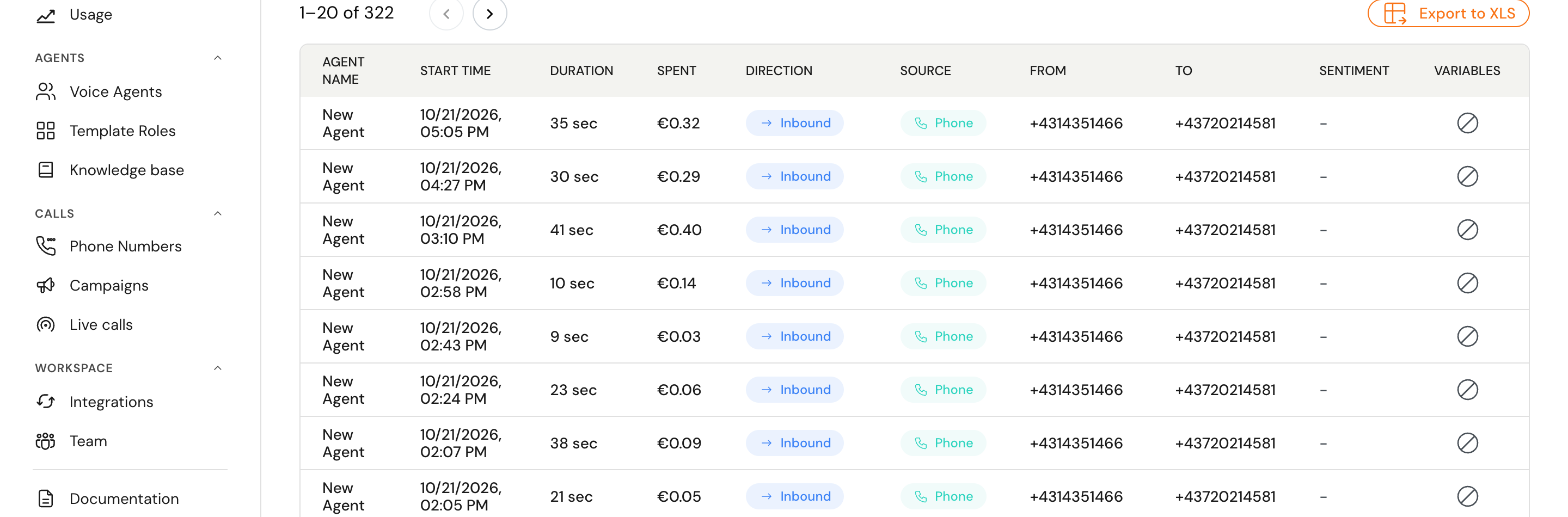
- Recording, transcript and analytics for every call
- White-label for partners who resell it under their own name
- Hosted in the EU, with a data processing agreement
Three more products on the same engine
The platform grew a family. Each one is a product of its own, with its own site, prices and accounts – and the same call stack underneath.
 Live · a build costs €5
Hanc Studio
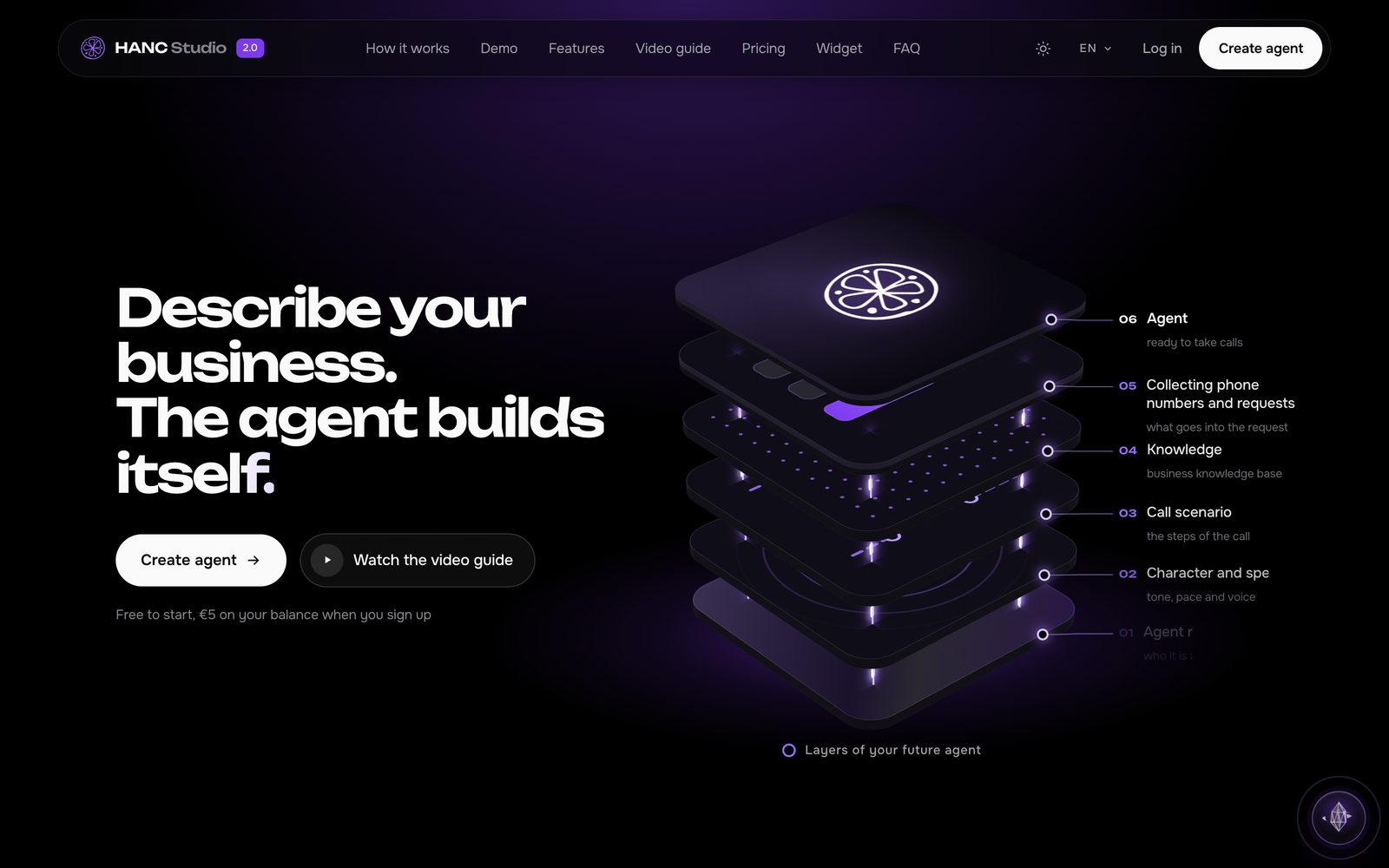
Describe the business in your own words and the agent assembles itself: who it is, how it speaks, the steps of the call, the knowledge base and the fields it has to collect. What comes out is a working agent inside Hanc, not a draft to finish by hand.
What is in it
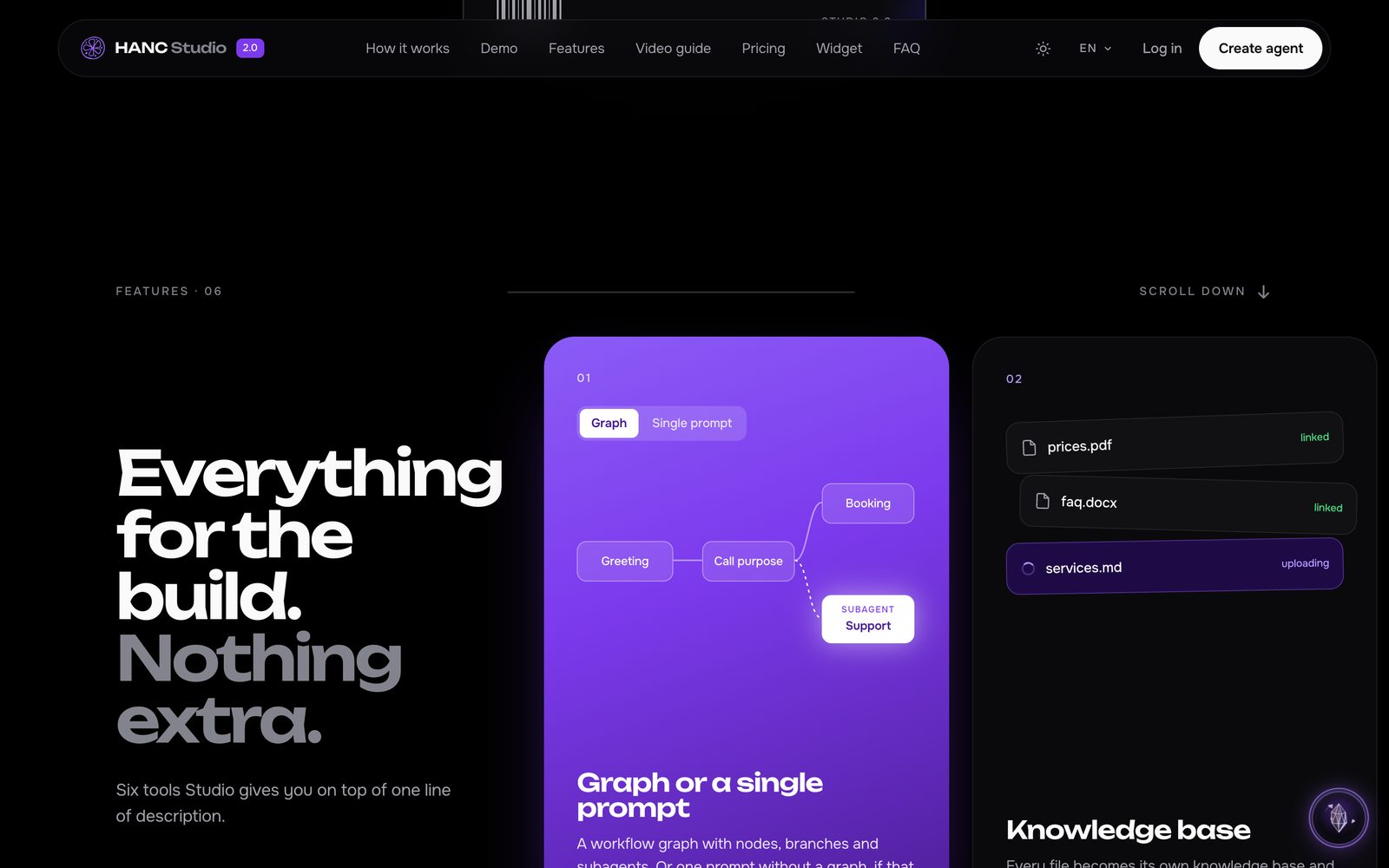
- A workflow graph with nodes, branches and subagents – or one plain prompt
- Every file you attach becomes its own knowledge base
- An auto-test that walks the graph before the agent takes calls
- Build versions, and a way back to an earlier one
- Templates for the usual jobs
- A batch build from a ZIP of documents
- A widget in your own brand to hand to a client
- Five euros for a build, from fifty cents for an edit
 Our product · in beta
Hanc Voice
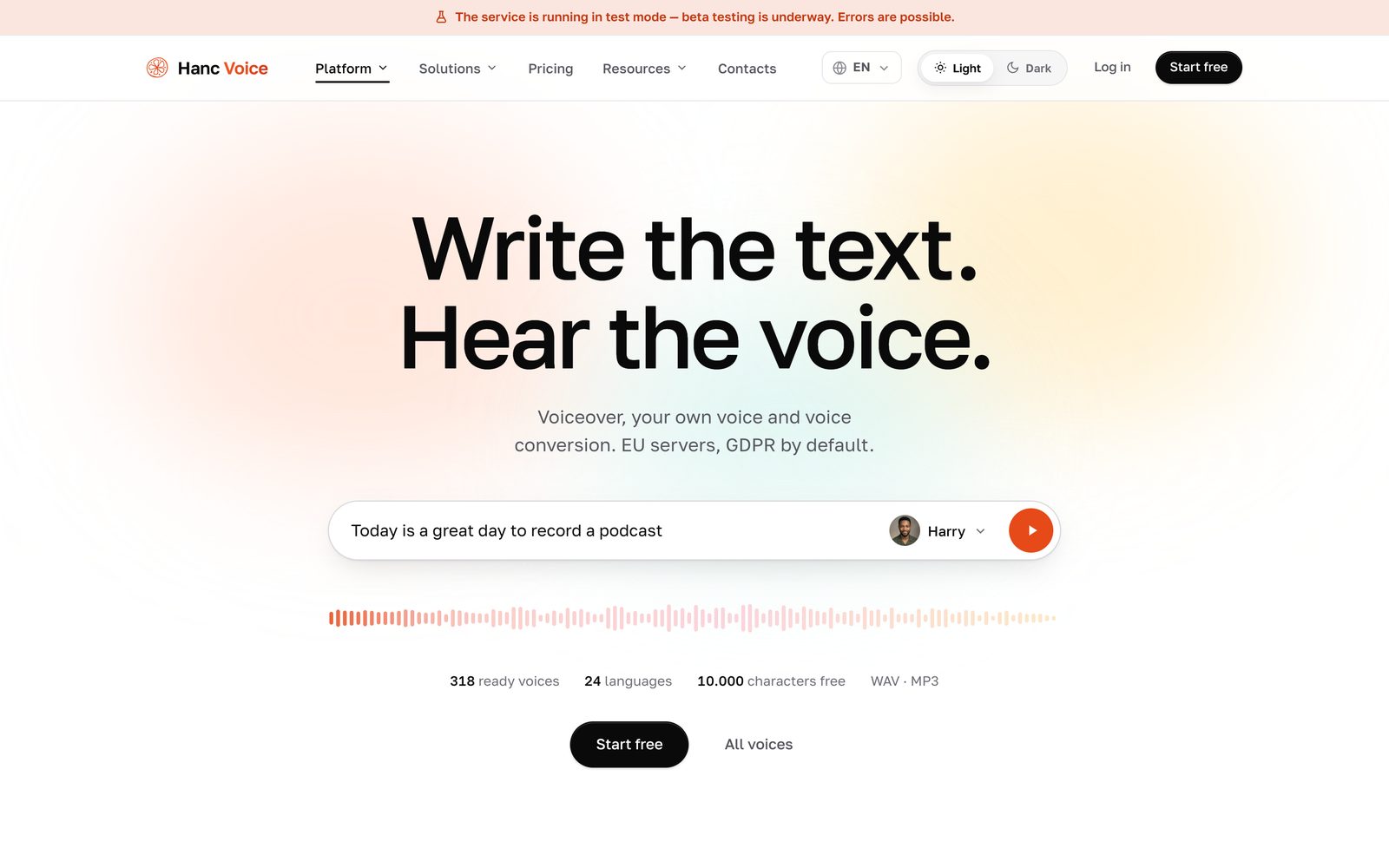
Write the text and hear it spoken. Voice-over, your own cloned voice, voice conversion and transcription – and a small sound studio in the browser to finish the take instead of sending it somewhere else.
What is in it
- 318 ready voices in 24 languages
- Your own voice from a couple of minutes of recording
- Voice conversion: an actor’s delivery carried onto any voice
- Transcription of audio and video, with timecodes
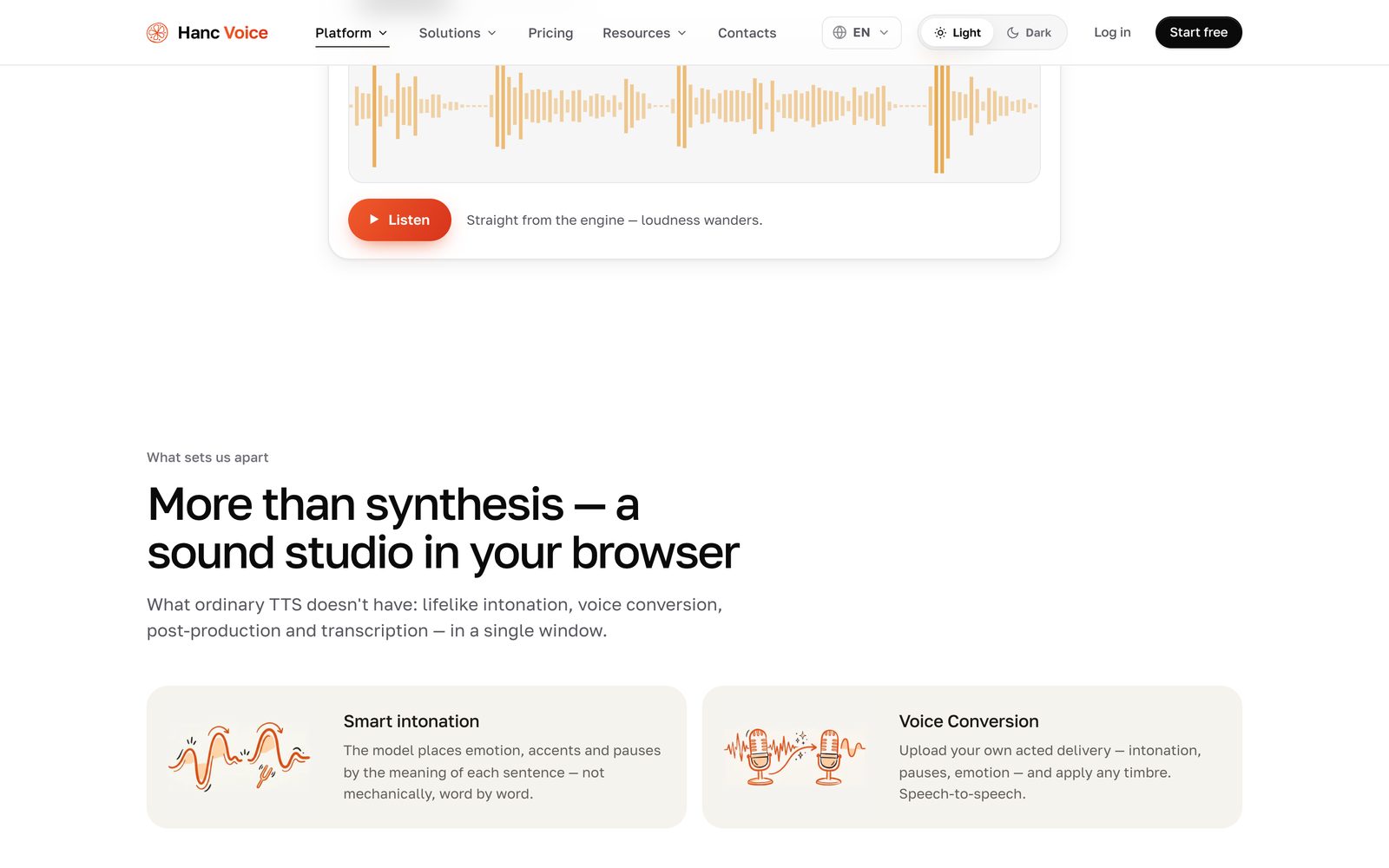
- A sound studio in the browser instead of raw output
- Smart text preparation and intonation
- WAV and MP3, ten thousand characters free
- Servers in the EU – and the top line says plainly it is still a test
 Our product · live
Hanc Phone
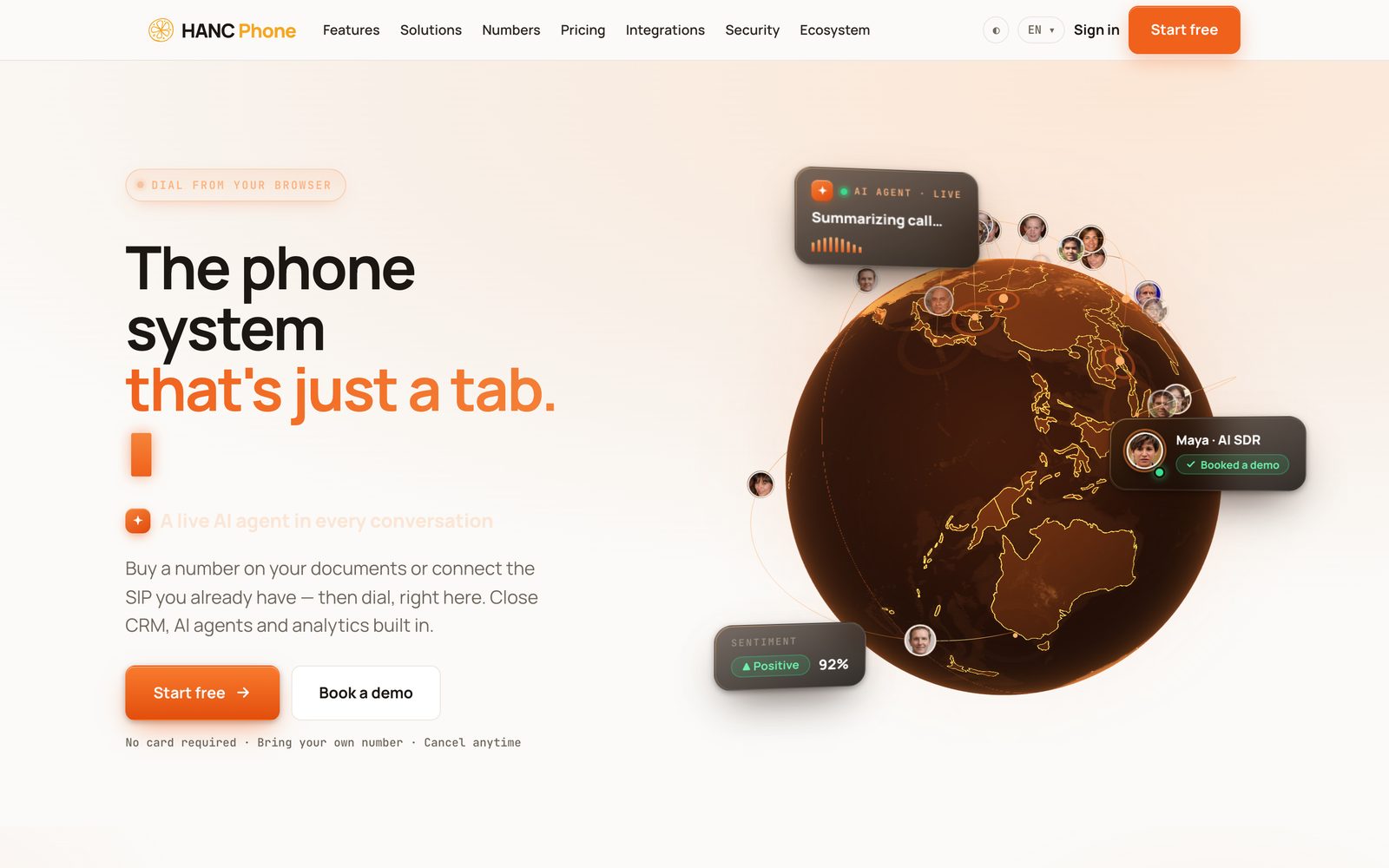
A phone system that is just a tab in the browser: buy a number on your own documents or bring the SIP account you already have, and dial from here – with a live AI agent, the CRM and the analytics inside the call rather than beside it.
What is in it
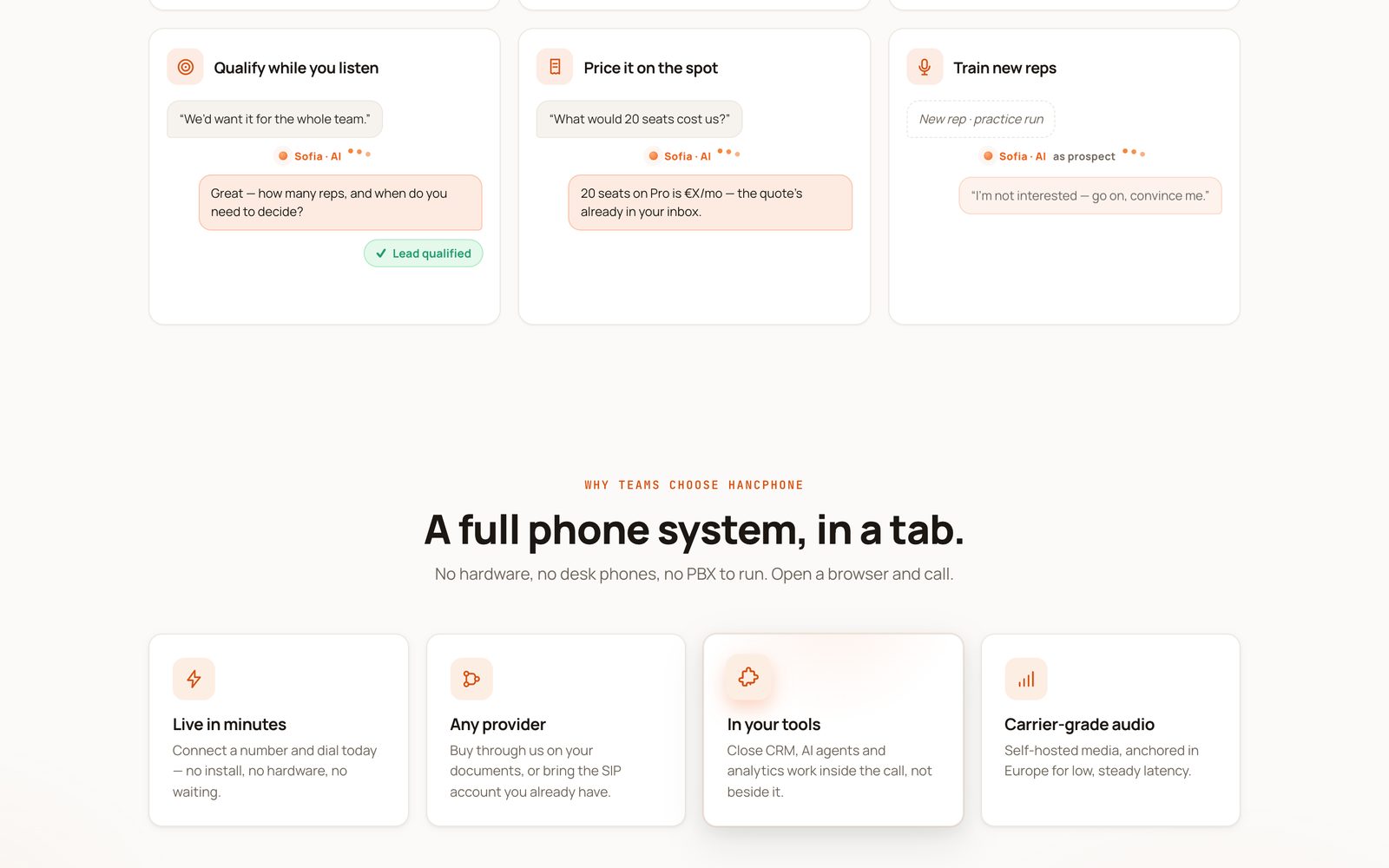
- Dial from the browser: no hardware, no desk phones, no PBX
- Buy a number through us or connect almost any provider
- A live AI agent in the call: translates, answers objections, qualifies
- Call the whole list from the same tab
- Teams: people, numbers, rights and spend in one place
- Routing that sends each caller to the right place
- Recording, transcript and analysis of every call
- Calls straight from the CRM and the tools you already run
 For a client · iPhone and Android
RunOrJog
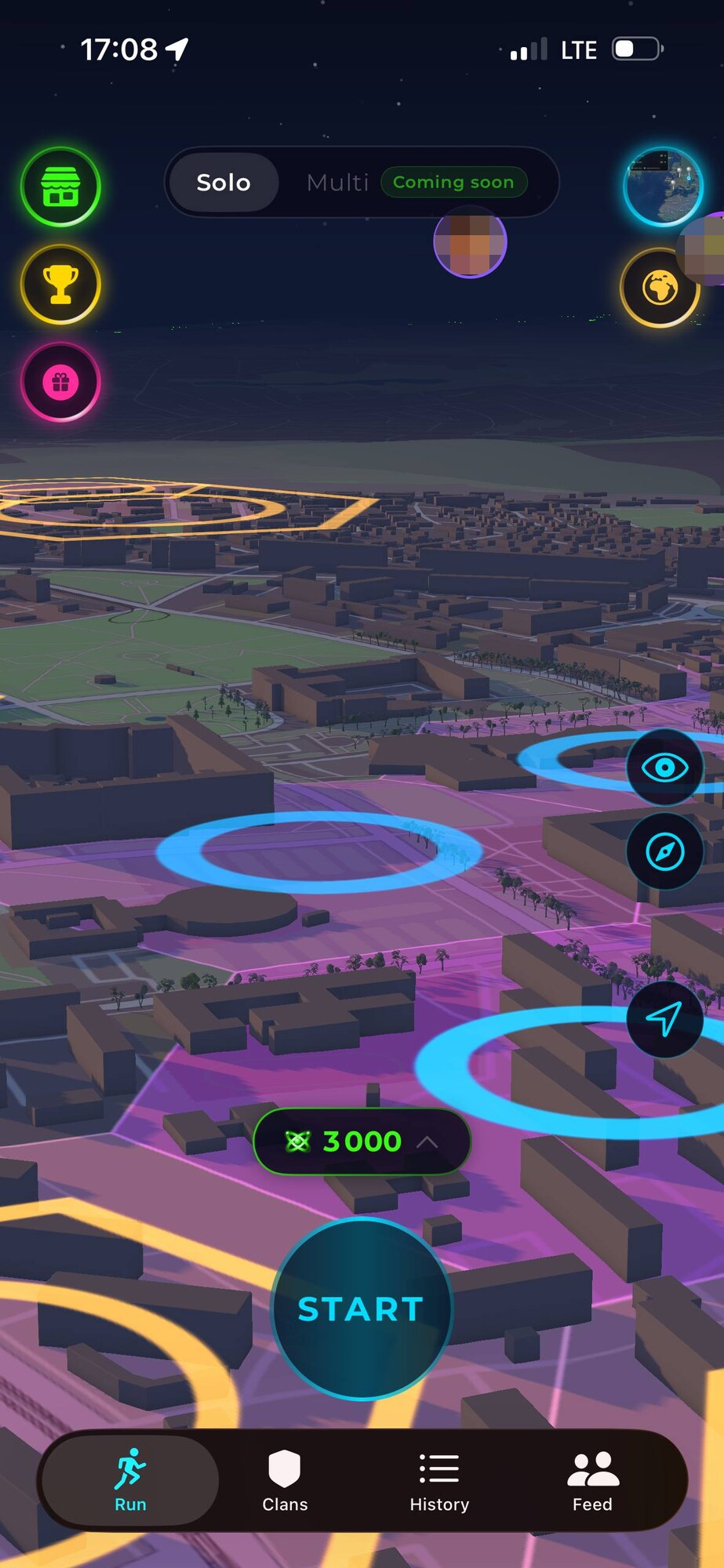
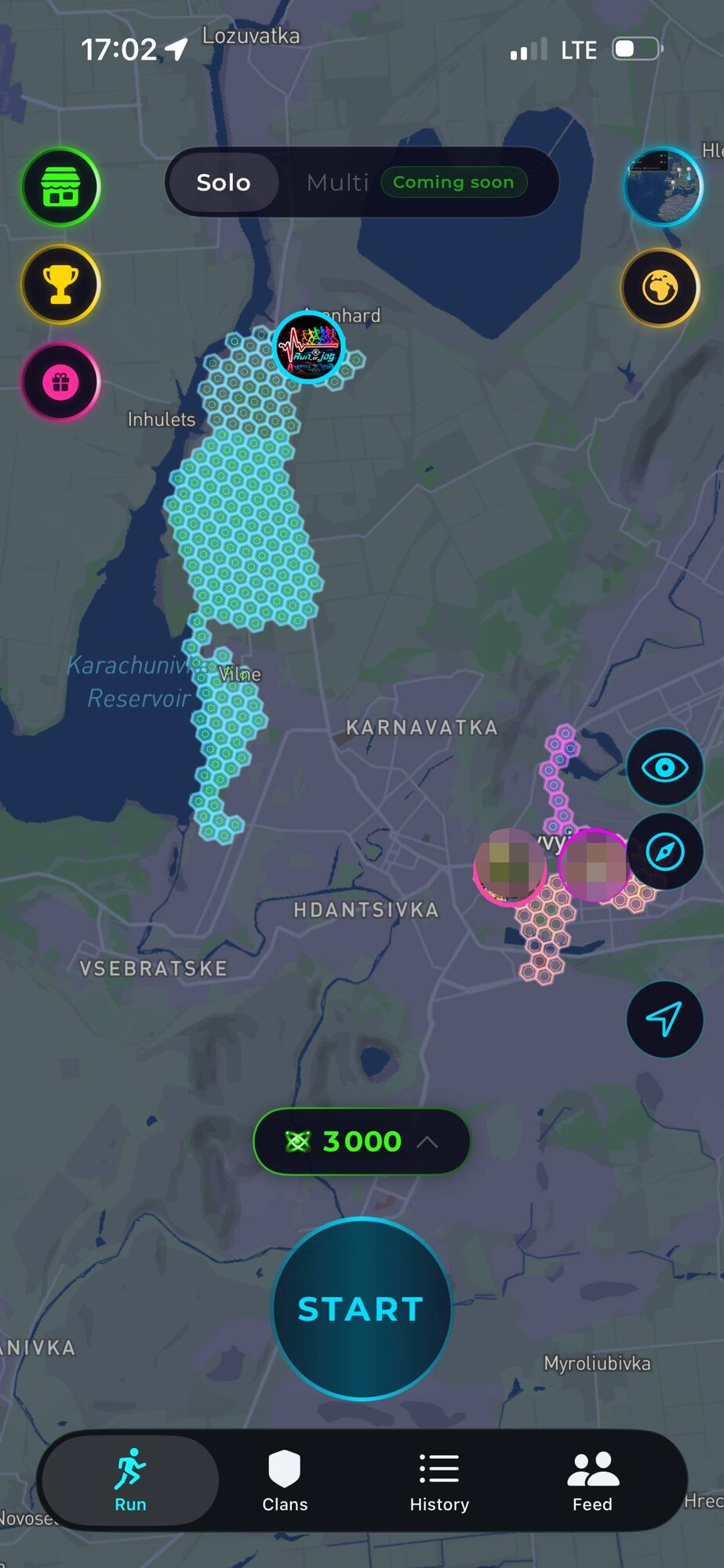
A running game on the real world map. You run with GPS and your route takes hexagons of the map; close the loop and the whole area inside turns yours. Runs pay out ENDO, the in-game currency.
runorjog.proThe client’s name stays with the client
What is in the app
- Territory on a hexagon grid, taken along the route you actually ran
- Close the loop and the whole area inside fills in one go
- ENDO for distance, for pace and for every new cell
- Records for 1k, 5k, 10k, half and marathon, recomputed when a run is deleted
- Pace and splits from moving segments only, so a GPS dropout stops producing 0:10 /km
- Elevation counted only from points that really measured it
- A feed with follows, likes and comments; a profile is public by default and can be closed
- Gift a subscription or ENDO to a friend: one payment, no renewal
- Subscriptions and a nine-day trial through the app stores
- Imports from watches, with a freshness rule so old tracks cannot take the map
- Native iOS in SwiftUI, native Android, one backend on Postgres with edge functions
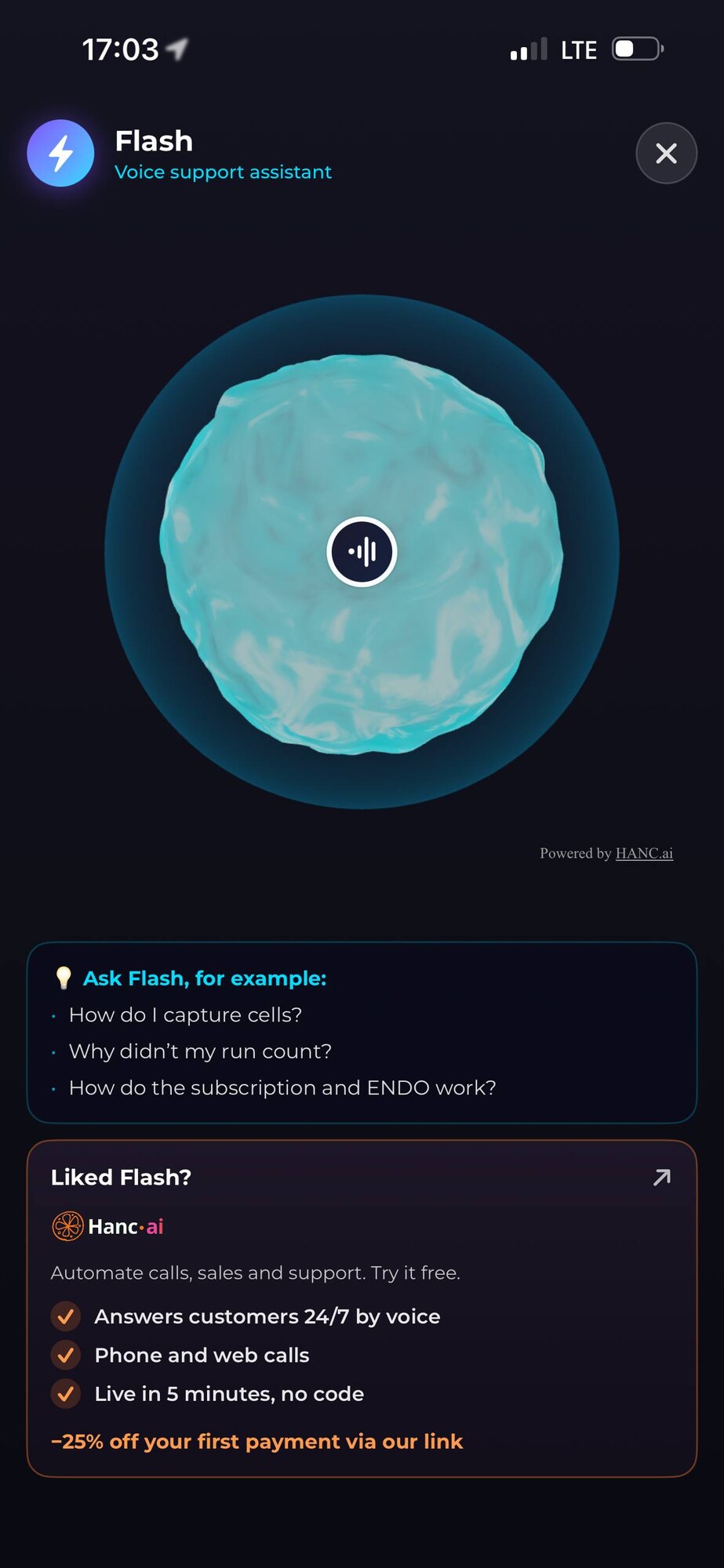
- A support agent inside the app that answers about your own runs
- Seven interface languages
More client work
Shops, products and studio sites. The same hands, someone else’s name on the icon – and below, what each one actually does.
 Online shop · live
Milotec
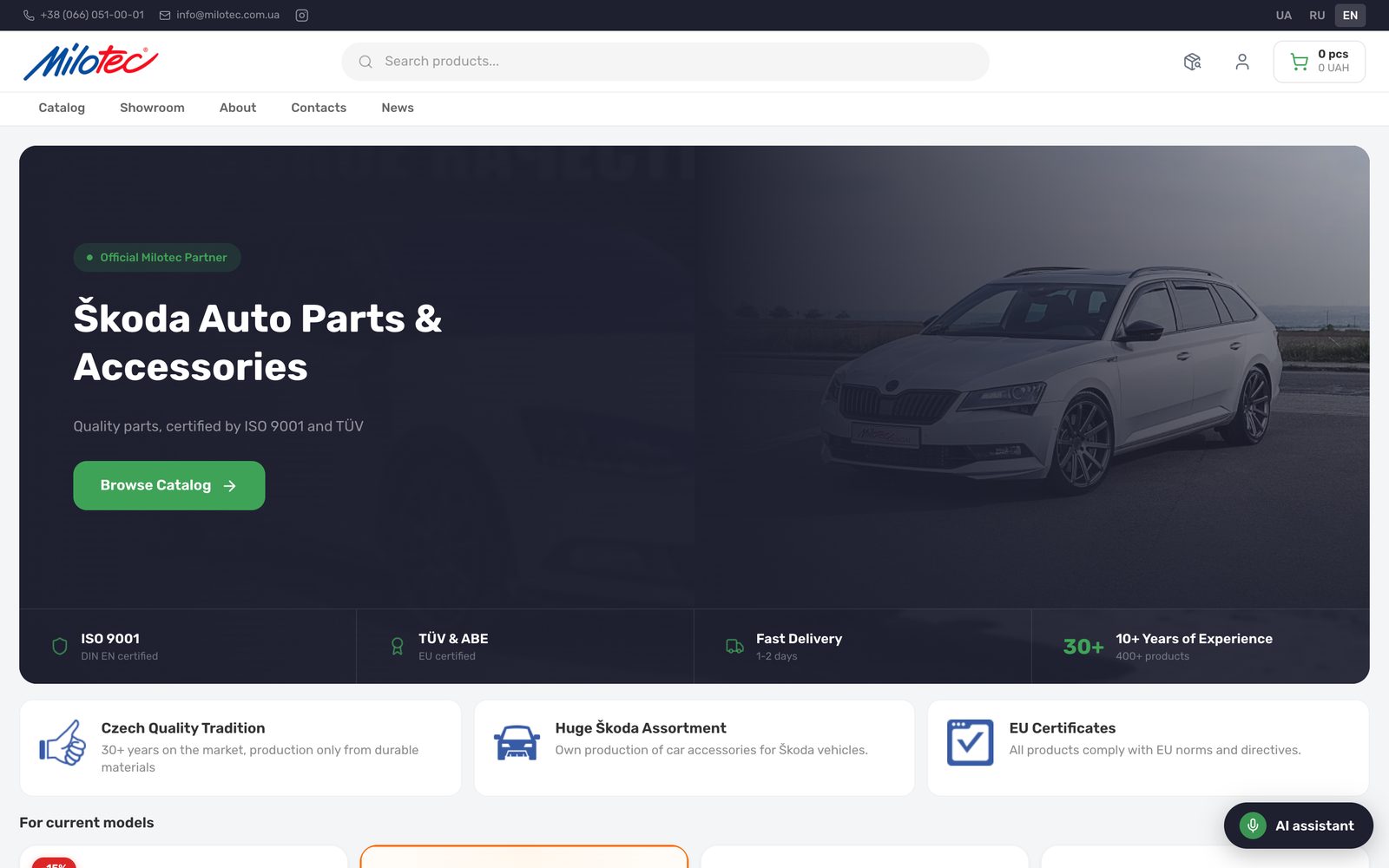
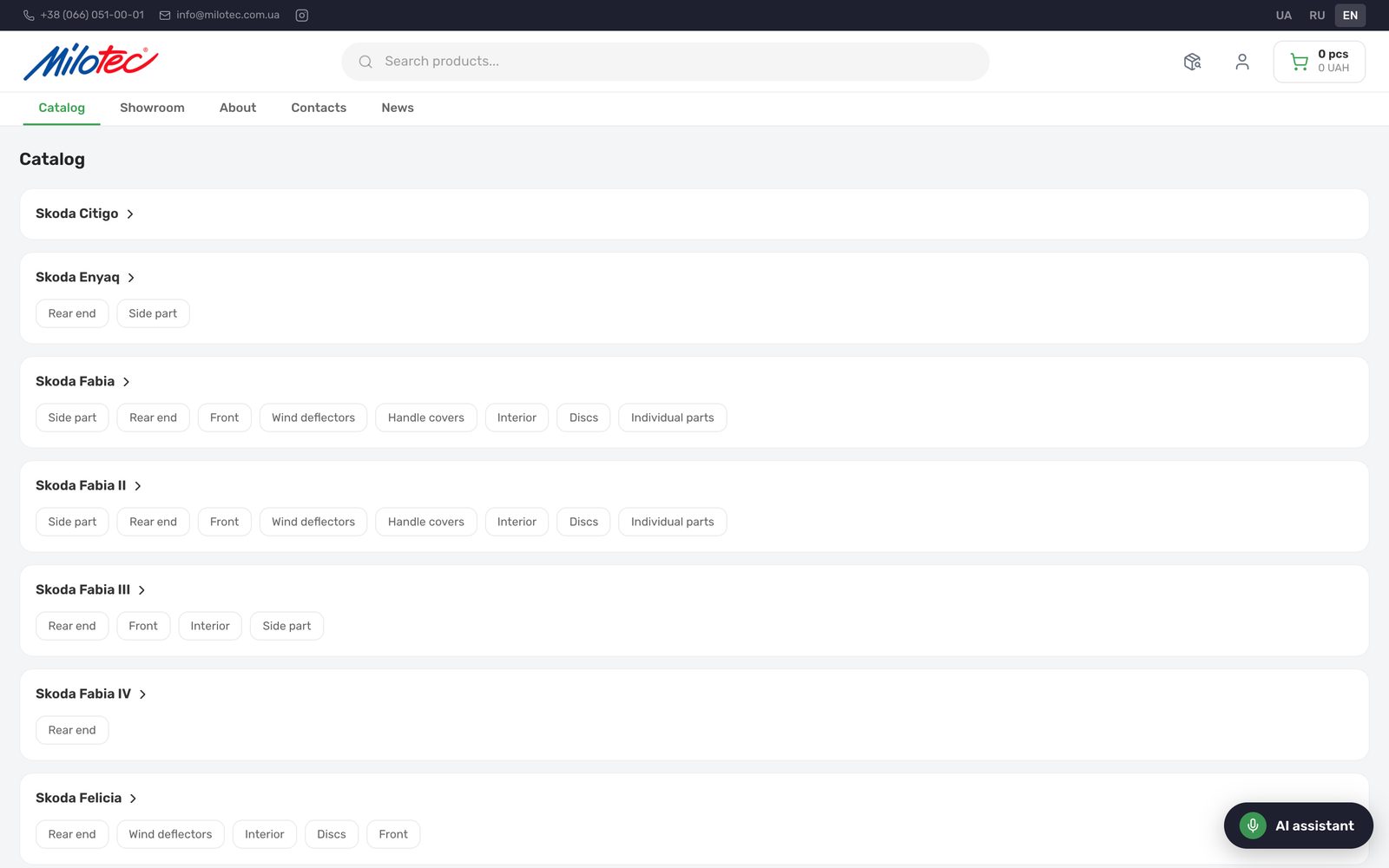
A shop for Škoda parts and accessories, for a dealer with a warehouse of his own: a catalogue by model and part, search, cart, checkout, an admin panel for the owner, three interface languages – and one of our voice assistants answering in the corner.
What is in it
- A catalogue by model, generation and kind of part
- Search across the whole warehouse
- Cart, checkout and order tracking by number
- An account with the order history
- An admin panel: goods, prices, discounts, news
- Three languages: Ukrainian, Russian, English
- Cash on delivery today, card payments next
- A voice assistant that answers questions about parts
 Web product · live
ALTEGO
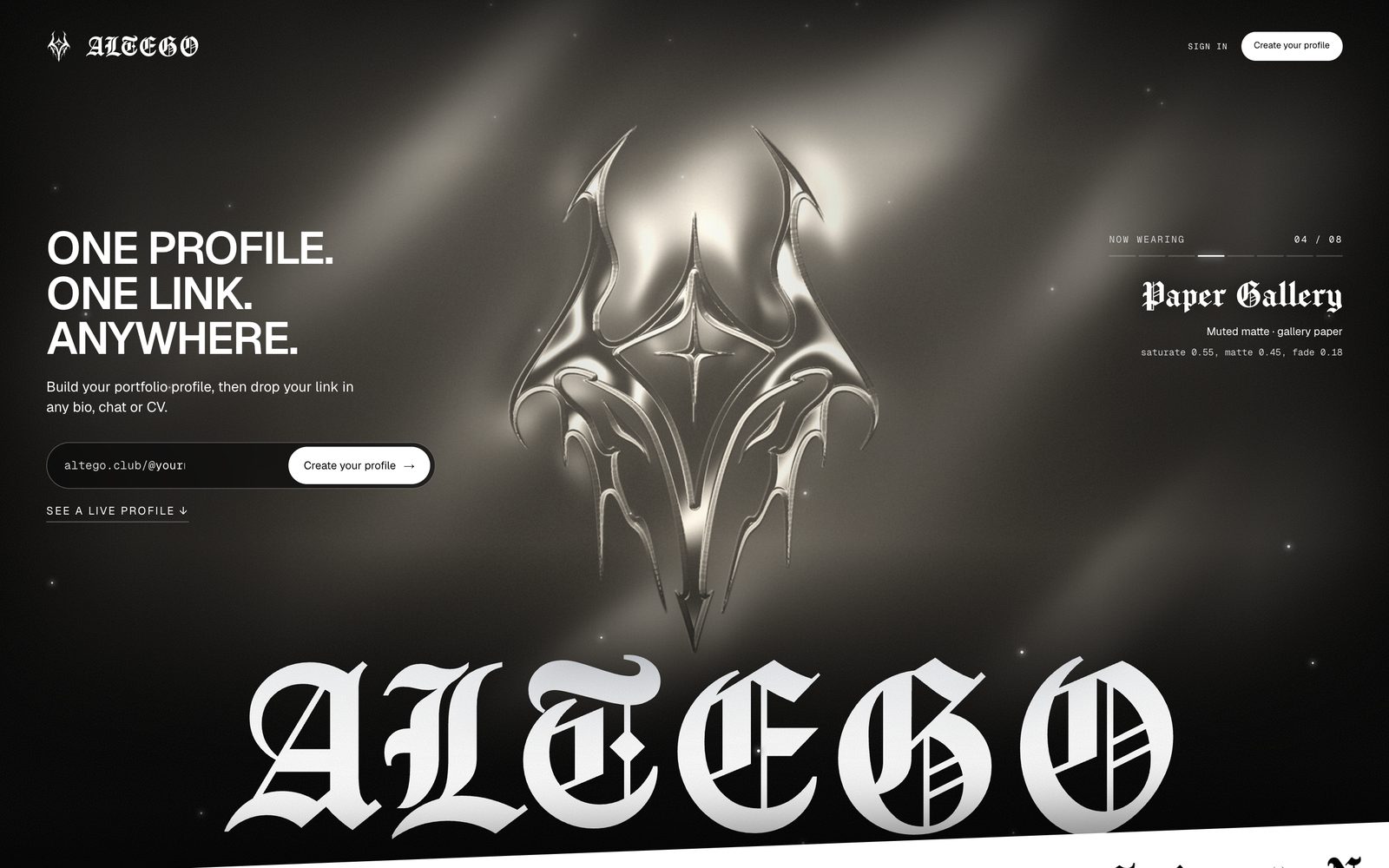
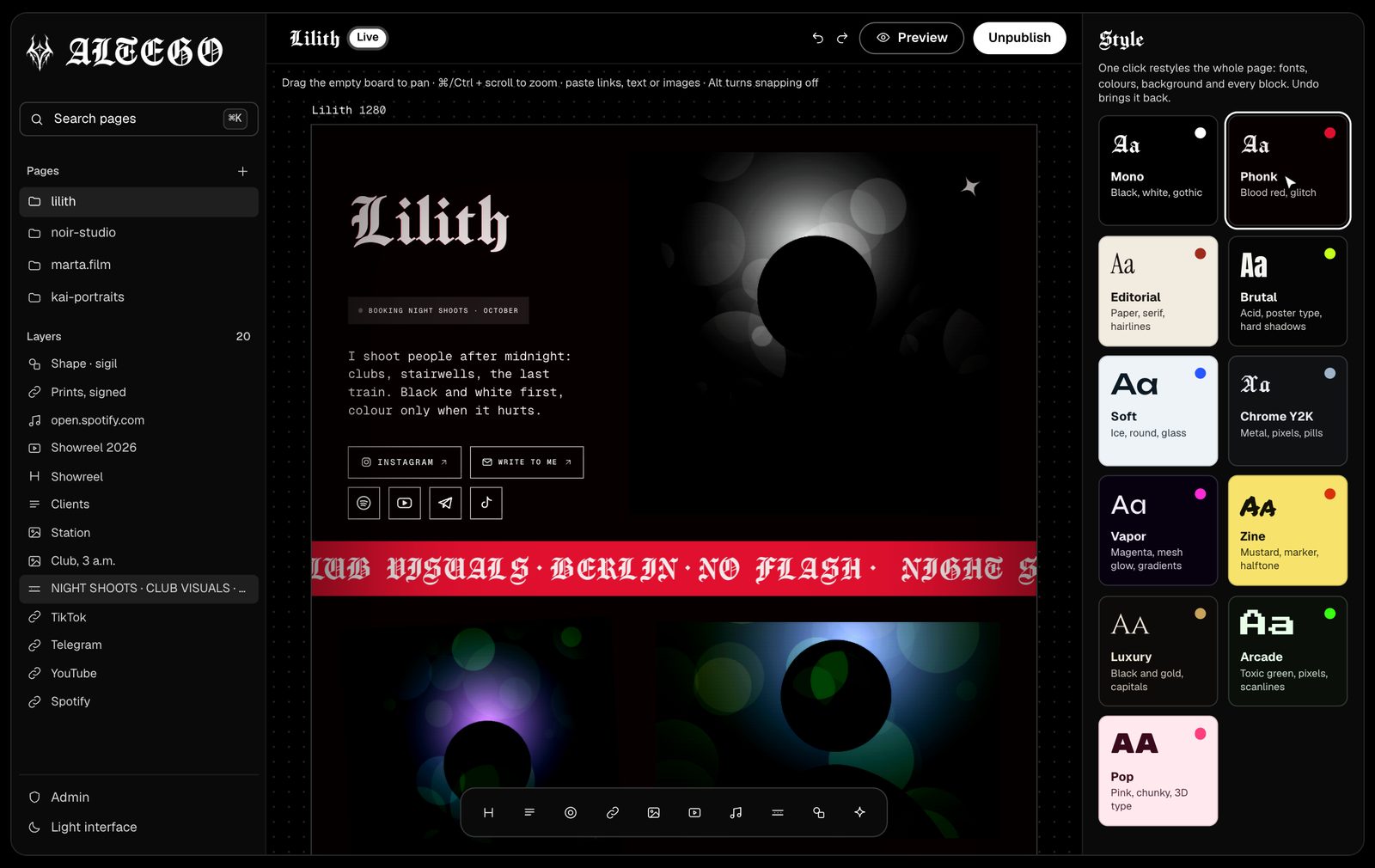
A profile builder for people who live on links: a free canvas instead of a template, blocks you drag anywhere, a library of motion effects, one click that restyles the whole page – and the finished page published at altego.club/@name.
What is in it
- A free canvas instead of a template: drag a block anywhere
- Ten kinds of block: headings, text, links, photo, video, music, tickers, shapes
- Paste a link and it turns into a block
- A library of 182 motion effects in ten boards
- Every block rotates, skews, tilts in 3D, blends and animates
- One click restyles fonts, colours and background
- Designed on a 1280 canvas, adapts to tablet and phone
- Published at altego.club/@name; premium drops our mark
 Author’s site · live
R. Vishnevsky
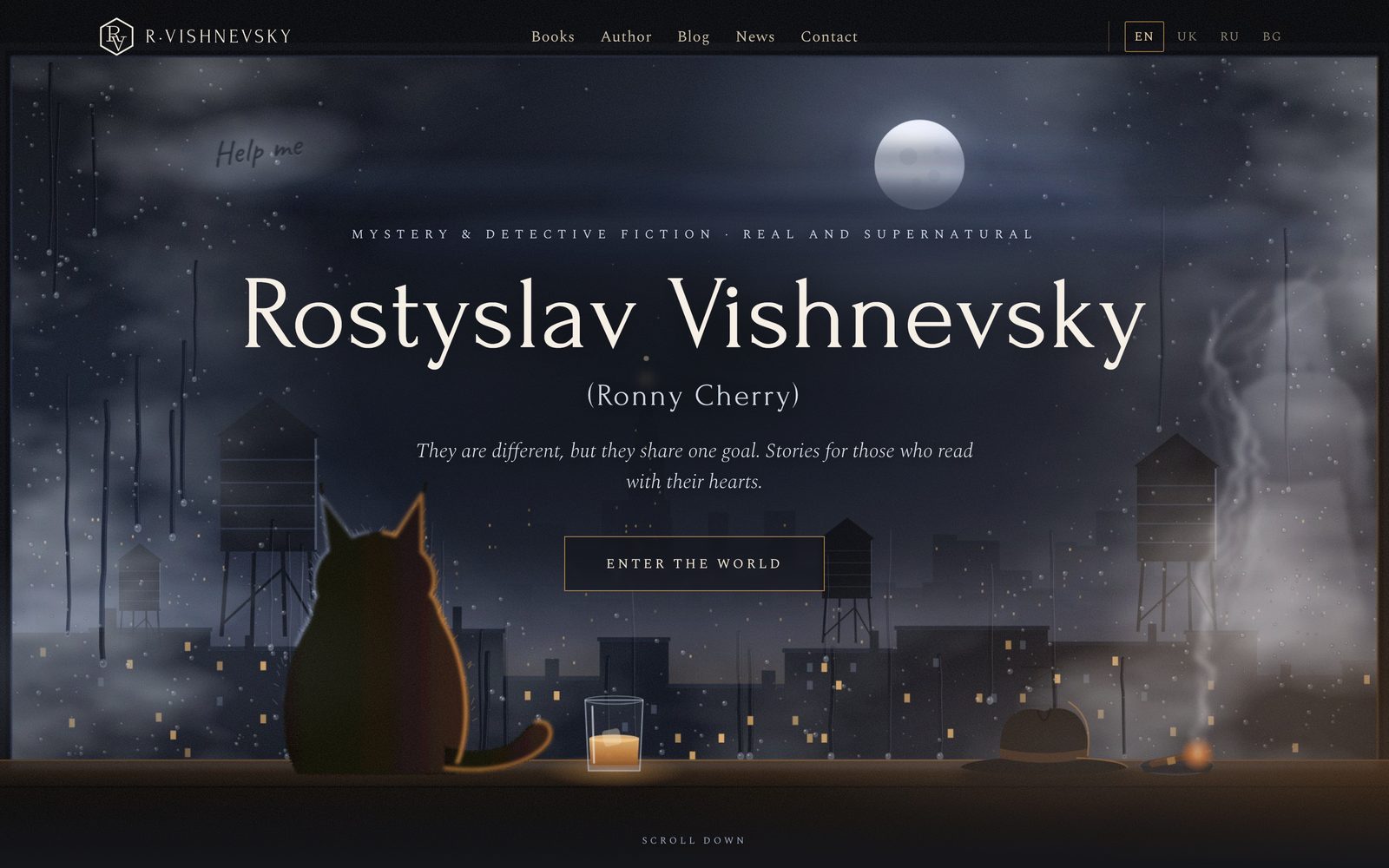
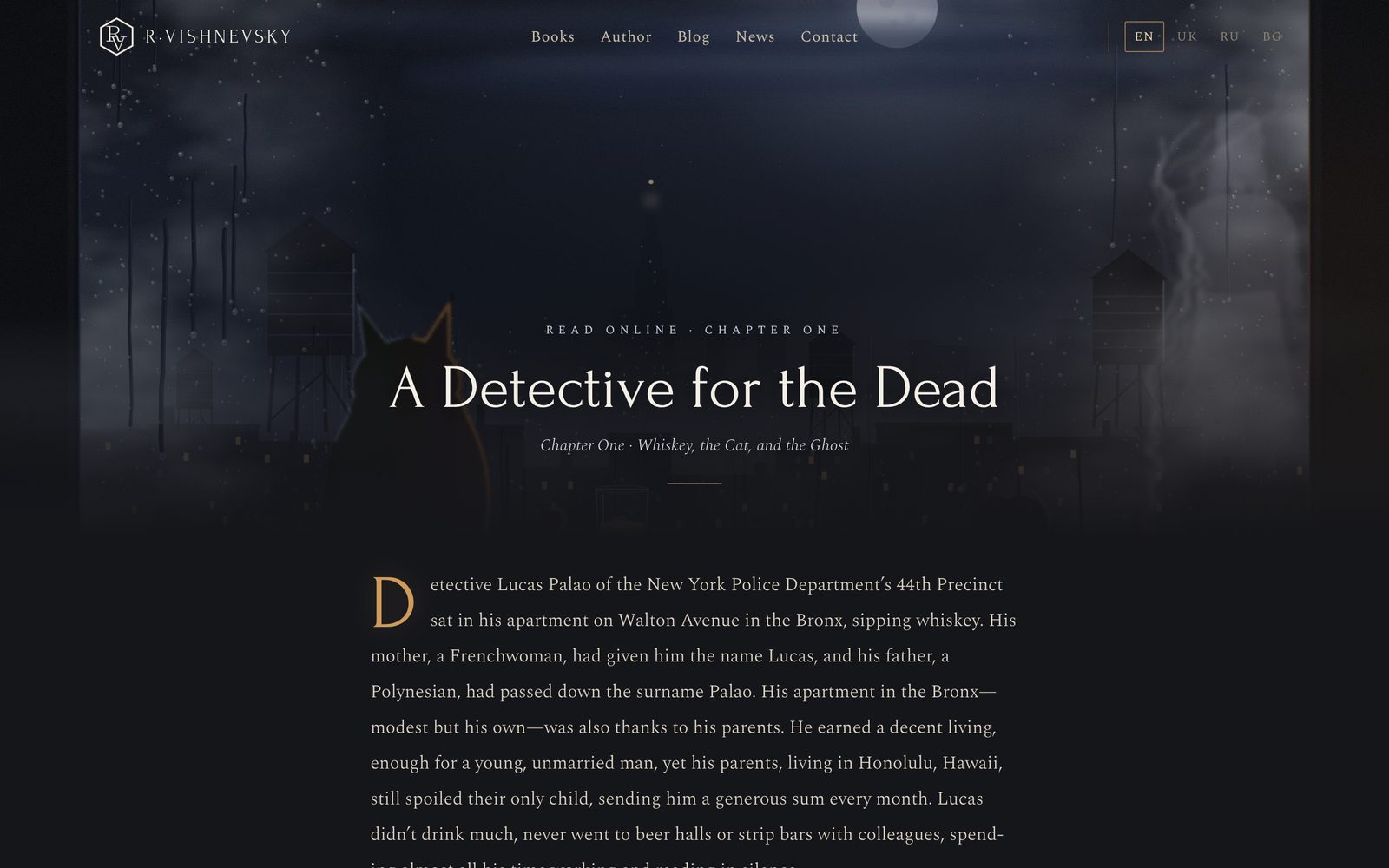
The site of a mystery novelist: the first chapter to read on the page, the book sold for €3.99 and delivered by email, the author reading that chapter aloud, plus a blog, news and reviews – in four languages. Knock on the door in the corner and a character from the book answers, on our own voice platform.
What is in it
- Four languages: English, Ukrainian, Russian, Bulgarian
- Chapter one free to read in the browser
- The book for €3.99, delivered by email after payment
- The author reading that chapter aloud, sixteen minutes
- The characters, the books of the series and what comes next
- Blog, news, reviews and a contact page
- A character from the book answers behind the door in the corner
- A static site, so it opens fast from anywhere
 Studio site · in beta
MINDWORK
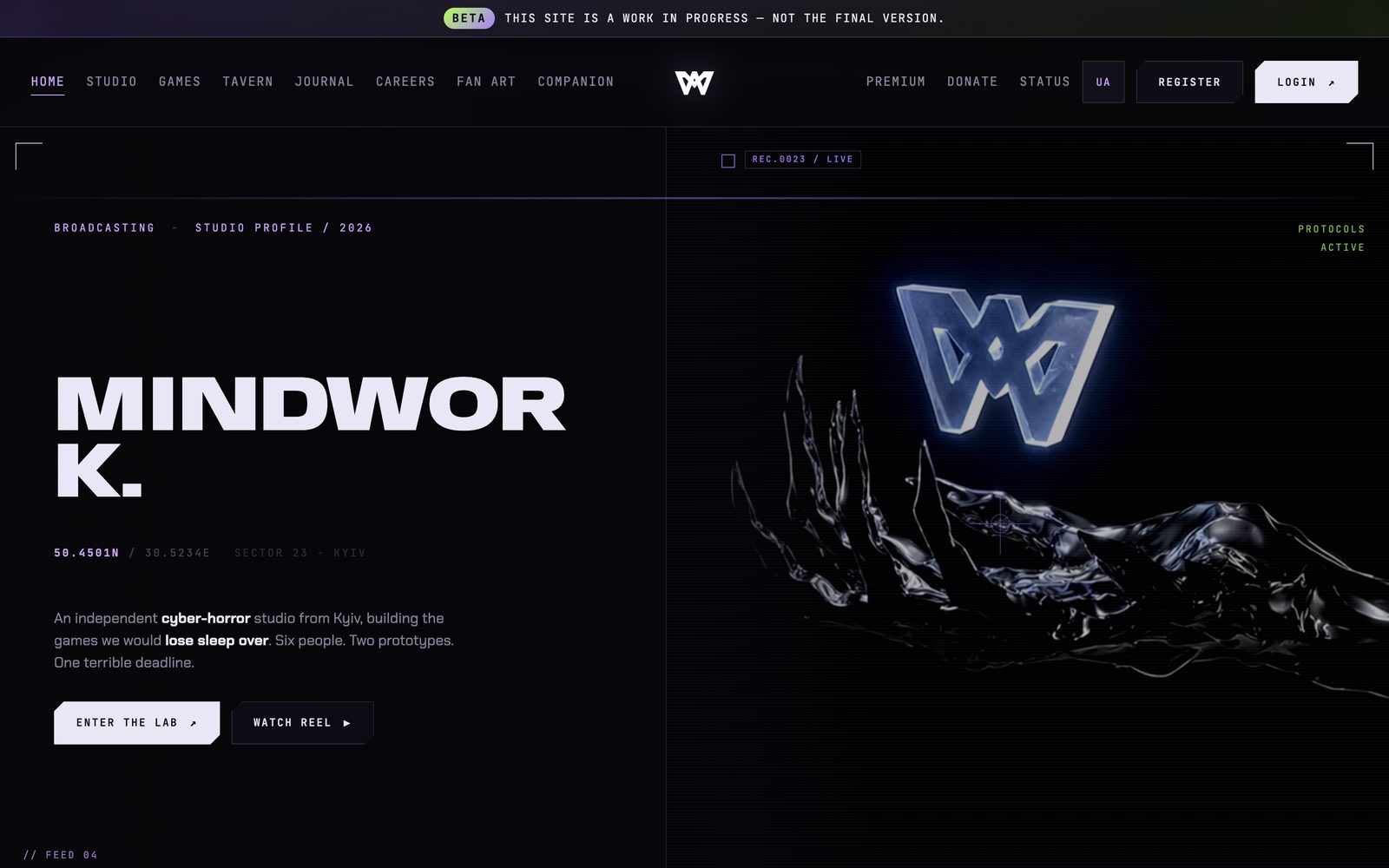
The site of an independent cyber-horror studio from Kyiv: the studio, the games, the journal, careers, fan art and a members’ area, in two languages. It opens like a broadcast and says plainly on the top line that it is still a beta.
What is in it
- The studio, the games and a journal of development notes
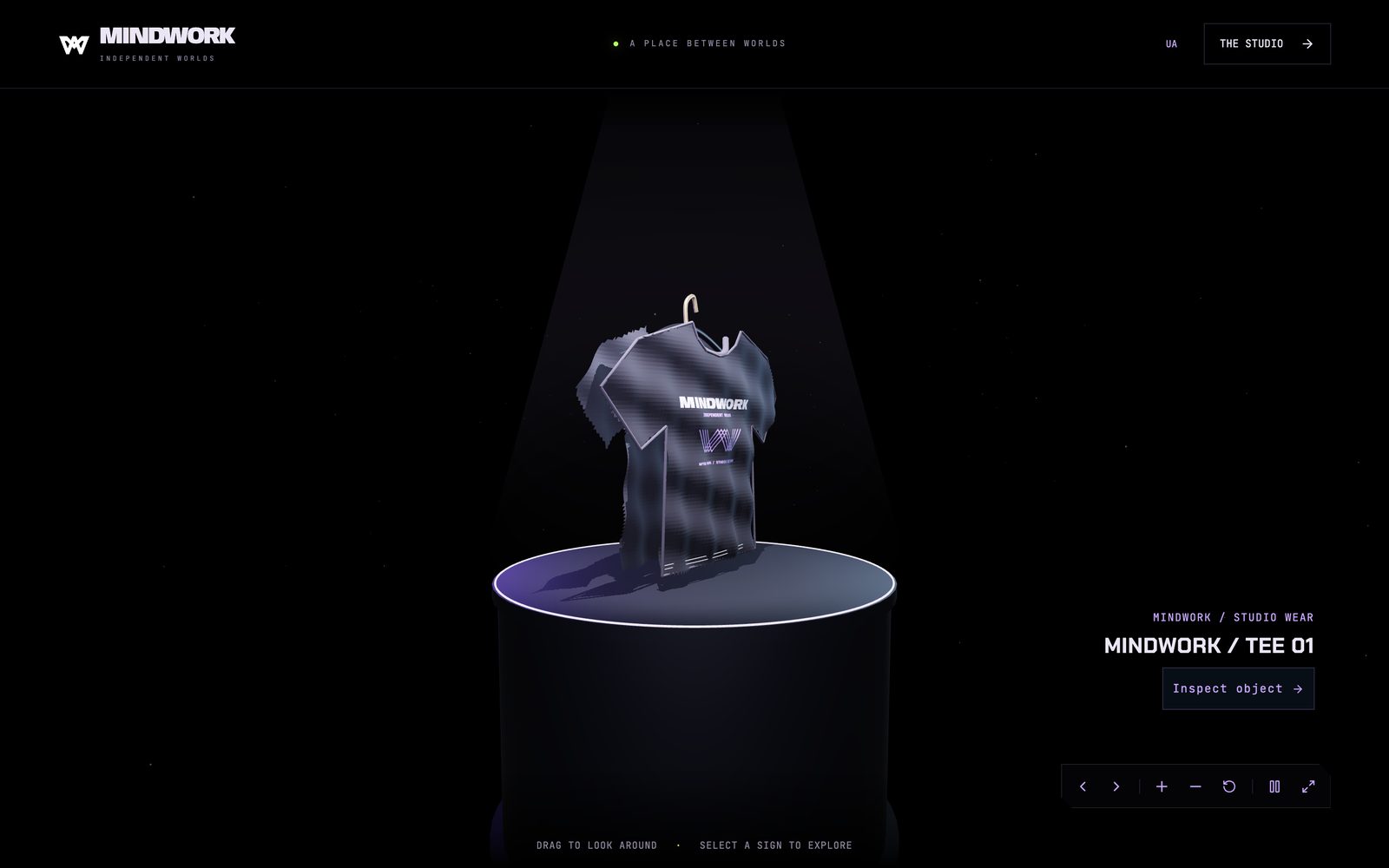
- A tavern in 3D that you drag to look around
- Accounts: registration, sign-in, a premium tier and donations
- Careers with the roles that are open
- A gallery of fan art
- A companion page and a status page
- Two languages: English and Ukrainian
- An honest beta line across the top of every page
Your project next.
Tell us what should happen and who it is for. A short brief takes three steps, and the answer comes within a day – from the people who would build it.